
Pinoy Hub
Entertainment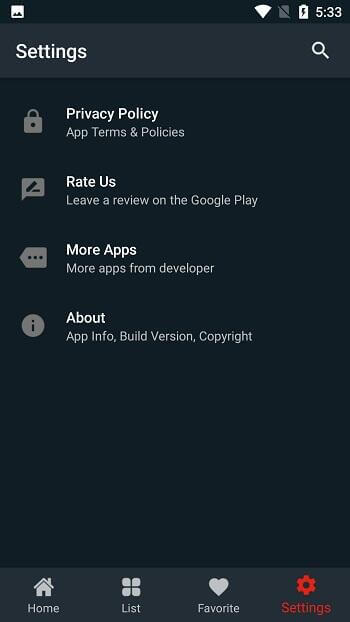


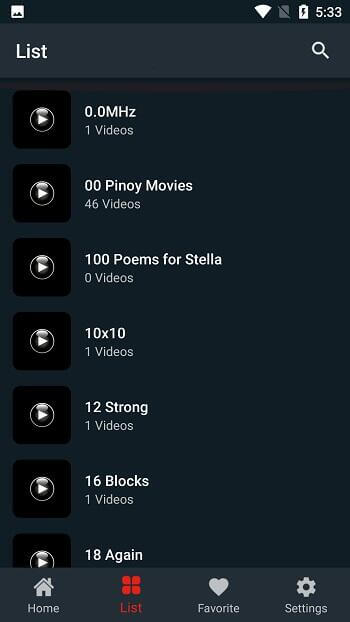
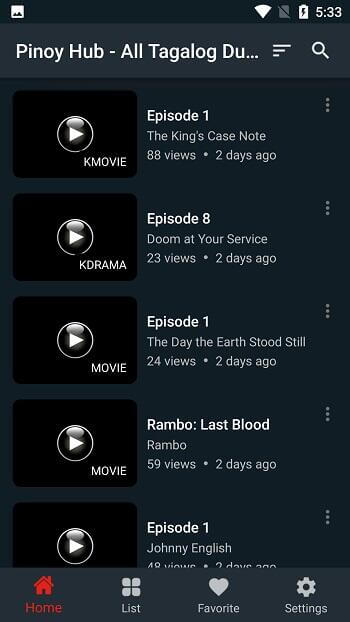

Pinoy Hub is an Android entertainment app that brings Filipino movies, TV series, and cultural content straight to your device. It’s designed for anyone who wants to stay connected with Philippine media, whether you’re living abroad or simply love the vibrant storytelling of the Philippines.
This page gives you the latest version details, a step‑by‑step install guide, and practical tips to keep the app running smoothly.
Quick Information
| App/Game Name | Pinoy Hub |
| Latest Version | 1.0.6 |
| Developer | Not listed |
| Category | Apps / Entertainment |
| App Size | 8.74 MB |
| Package Name | com.app.pinoyhub |
| Last Updated | 16 January 2026 |
What Is Pinoy Hub?
Pinoy Hub aggregates a range of Filipino entertainment—movies, TV shows, and other cultural videos—into a single, easy‑to‑navigate interface. The app targets fans of Philippine media and aims to provide a convenient hub without the need to switch between multiple streaming services. It does not claim any official partnership with content owners, so availability may vary.
Compatibility
Compatibility
| Android Version | Not Verified |
| Architecture (ARM64 / 32-bit) | Not Verified |
| Internet Connection | ✓ Verified — May be required for ads, updates, or login |
| Storage Needed | Not Verified |
| OBB/Data Files | Not Verified |
| Root Required | Not Verified |
How to Install
- Download the Pinoy Hub APK file to your Android device.
- Open Settings → Security (or Privacy → Install unknown apps) and enable installation from the source you used.
- Locate the downloaded APK in your file manager and tap it to start the installation.
- Follow the on‑screen prompts and tap Install. When finished, tap Open to launch Pinoy Hub.
- If you see a warning about the app being from an unknown developer, confirm that you trust the source before proceeding.
Troubleshooting
- App not installed: Ensure you have allowed installations from unknown sources and that there is enough free storage.
- Crashes on startup: Clear the app cache (Settings → Apps → Pinoy Hub → Storage → Clear cache) and try again.
- Content not loading: Verify you have a stable internet connection; the app streams media, so Wi‑Fi is recommended.
- Permissions denied: Grant storage and network permissions in Settings → Apps → Pinoy Hub → Permissions.
Safety & Security
Pinoy Hub is a standard APK, not a modified build. As with any third‑party app, download it from a reputable source, scan the file with an antivirus, and review the permissions it requests. Avoid entering personal or payment details unless you are certain the app is trustworthy. Future updates from the original developer may change functionality, so keep an eye on version changes.
How Pinoy Hub Compares
| Feature | Pinoy Hub | iWantTFC | Netflix |
|---|---|---|---|
| Primary focus | Filipino movies & TV | Filipino TV channels & shows | Global movies & series |
| Cost | Free (ads) | Subscription (free tier limited) | Subscription |
| Platform | Android APK | Android, iOS, Web | Android, iOS, Web, TV |
| Standalone app | Yes | Yes | Yes |
| Best for | Fans of Filipino content looking for a single hub | Subscribers to ABS‑CBN network | Broad international library |
Alternatives
- iWantTFC – Official streaming service for ABS‑CBN, offering live TV and on‑demand Filipino shows with a subscription model.
- Viu – Asian streaming platform that includes a selection of Filipino dramas alongside Korean, Japanese, and Chinese content.
- Netflix – Global streaming service that occasionally features Filipino movies and series, suitable for users who want a broader catalogue.
Final Verdict
Pinoy Hub is a handy, free option for anyone eager to watch Filipino movies and TV shows on Android. It works well for casual viewers who don’t need a paid subscription, but the app’s content library may be limited compared to official services like iWantTFC. Before installing, verify the APK source, ensure your device meets the basic Android version requirements, and be prepared for occasional ads.
Frequently Asked Questions
Download the APK from a trusted source, scan it with an antivirus, and review the permissions it requests before installing.
Pinoy Hub offers Filipino movies, TV series, and other cultural videos in one app.
Yes, the app streams content, so a stable Wi‑Fi or mobile data connection is required.
The available version is free and supported by ads; no paid tier is listed.
If a Play Store version exists, you can install the APK, but they may conflict; uninstall one before using the other.
The exact minimum Android version is not listed; the compatibility table will show which versions are verified.
The app itself is 8.74 MB, but streaming videos will use data; offline download support is not confirmed.
This can happen if unknown sources are blocked, the APK is corrupted, or there isn’t enough free storage.